
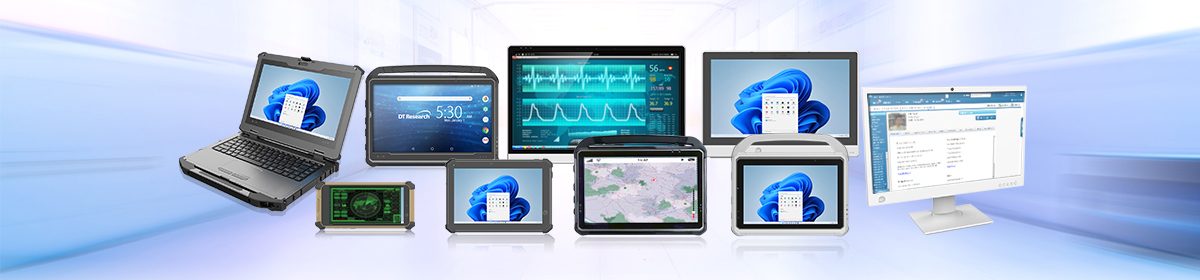
When planning a major technology refresh for industrial logistics, field defense, or healthcare environments, procurement teams often begin by comparing hardware specifications such as processing power, durability, connectivity, and security.
Drop-test ratings, ingress protection certifications, and processing speeds all matter, especially when investing in rugged tablets, rugged laptops, or medical computing workstations expected to support operations over a four-to-five-year lifecycle.
However, one expensive oversight can disrupt those projections midway through deployment: treating batteries as permanent infrastructure instead of recurring consumables.
The Reality of the 5-Year Technology Lifecycle
Medical tablets are precision engineered to withstand demanding environments for years. From reinforced chassis materials and protected internal components to impact-resistant glass, these systems are built to support a typical four-to-five-year technology lifecycle.
Batteries, however, operate on a different timeline.
Unlike the medical tablet itself, lithium-ion batteries are consumable components. They naturally degrade over time, especially in high-use environments where devices are constantly charging, fully drained, hot-swapped, or kept plugged in at 100%. While the computer may continue performing reliably for five years, the battery may need to be refreshed much sooner.
That is why battery planning should be built into the original IT budget. Many organizations budget for medical tablets, rugged laptops, or medical computing workstations as long-term capital investments but overlook the batteries needed to keep those devices running at peak performance.
In high-utilization environments, battery refreshes may be needed every 12 to 18 months, or at minimum within the first two years, to avoid unexpected downtime, performance issues, or emergency budget approvals later in the lifecycle.
A hot-swappable battery system is designed to keep teams moving without taking computers offline for charging. But that advantage only works when replacement batteries are available, healthy, and planned for in advance. The computing system may be built for long-term use, but the battery strategy needs its own refresh schedule.
The Mid-Cycle Budget Shock
Consider a standard procurement scenario: an enterprise secures a $1,000,000 capital budget to deploy a new fleet of rugged laptops and tablets, expecting that investment to fully cover mobile computing needs for the next four to five years.
Operational reality often sets in around month 24. Field teams may begin reporting rapid power loss, unexpected shutdowns, and shortened shifts because the batteries have naturally reached the end of their optimal lifecycle. This risk increases when batteries are not managed properly, such as when tablets are left constantly docked at 100% instead of being maintained closer to an optimal charge range.
Suddenly, the organization faces an unplanned expense to replace hundreds of batteries just to keep the field workforce active. This creates a race for capital that is not in the budget, complicating financial planning and straining internal resources.
Proactive Strategies for Continuous Power Management
To avoid sudden financial bottlenecks, technology spend must treat batteries as predictable operating costs rather than unexpected hardware failures. This shift requires three structural adjustments:
- Establish an Annual Power Budget: Integrate a recurring line item for battery replacement schedules alongside the initial four-to-five-year hardware roadmap. Anticipate the first comprehensive refresh between the 18-month and 30-month mark.
- Build Proactive Refresh Windows: Do not wait for fleet failures to trigger a purchase request. Scheduling fleet-wide or department-phased battery changeouts helps ensure field teams continue working with peak-performing batteries.
- Enforce Smart Charging Protocols: Mitigate premature degradation by using battery management tools. Managing hundreds of battery-powered computers and monitors manually can create battery anxiety for staff and unexpected downtime for operations.
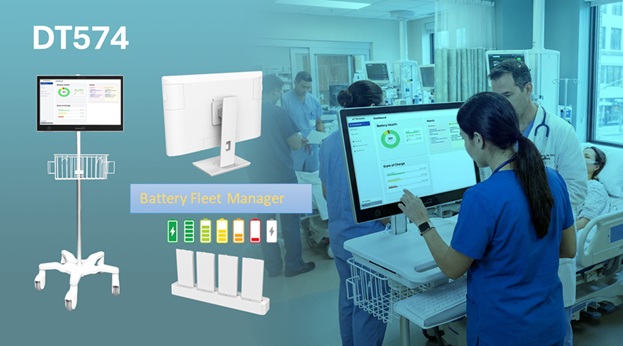
DT Research developed Battery Fleet Manager software to help IT teams monitor and manage the following:
- Battery health and state of charge
- Temperature status
- Low-health or critical replacement alerts
- Battery serial numbers
- Custom tags to label and group batteries by department
- Best-practice guidance for battery management
Protecting the Bottom Line
Rugged hardware is a premium investment designed to keep critical operations running under demanding conditions. By aligning financial planning with the physical reality of battery degradation, organizations can protect their broader capital investment.
Budgeting for hot-swappable batteries as ongoing consumables helps keep field teams reliably powered while keeping long-term technology roadmaps secure, predictable, and operationally sound.