
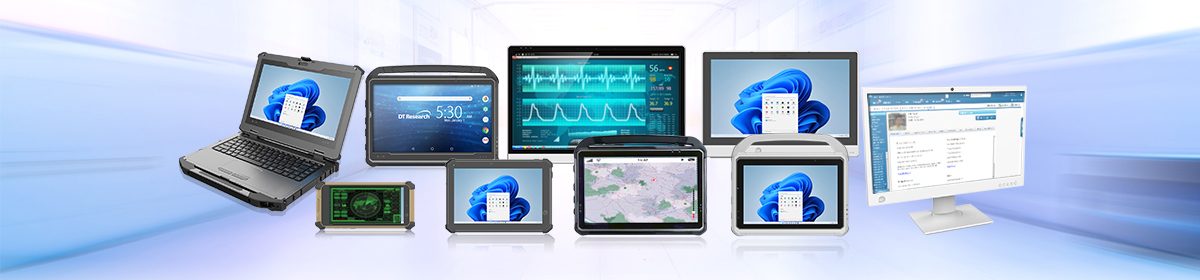
Healthcare IT isn’t just about keeping the network! It’s about making sure nurses and doctors aren’t fighting their hardware during a chaotic shift. When it’s time to upgrade clinical devices, the conversation usually splits down the middle: do we invest in large-screen Medical All-in-One (AIO) computers, or do we go all-in on lightweight medical tablets? There isn’t a single right answer here. Instead, it comes down to balancing two major things: portability and versatility.
Let’s take a look at how both form factors actually perform on the floor and how making the right choice directly impacts patient care and staff workflow.
Medical All-in-Ones: The Reliable Anchor
Think of a medical all-in-one as the ultimate departmental hub. With large, crisp screens (usually ranging from 22 to 27 inches), these aren’t the kind of devices a nurse slips under their arm. But they aren’t meant to be stuck on a desk in a back office, either.
Where they move:
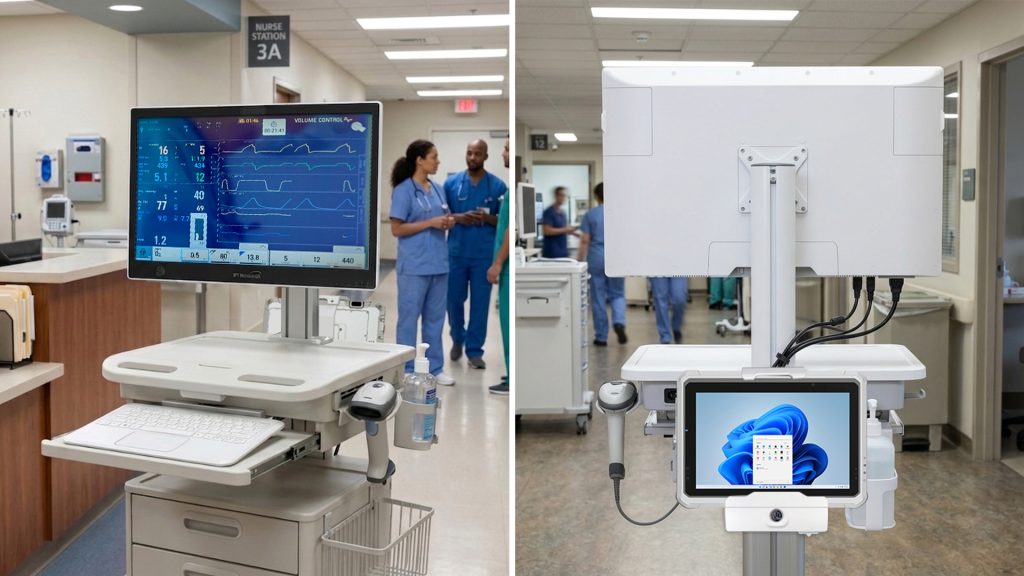
While you won’t see a doctor walking the halls with a 24-inch screen, medical all-in-ones offer a different kind of mobility when mounted to a Workstation on Wheels (WOW) or a heavy-duty medical cart. They become highly agile departmental workstations. They move effortlessly from room to room in the ER or ICU, bringing a massive, full-scale desktop experience right to the patient’s bedside.
The versatility factor:
Where a medical all-in-one really wins is its sheer muscle. Packed with heavy-duty processors and a medical-grade graphics card, if a clinician needs to pull up a patient’s dense electronic health record (EHR) on one half of the screen and analyze a crystal-clear 4K X-ray on the other, the medical all-in-one does it without breaking a sweat. It cuts down the time staff spend clicking between tabs, which means faster decisions when seconds count.
Medical Tablets: The On-the-Go Swiss Army Knife
If the AIO is the anchor of a wing, the medical tablet is the scout. Ranging from handheld 10-inch devices to larger 17-inch screens, these rugged medical-grade tablets are built for teams that move between many locations.
Where they move:
This is true uncompromised mobility. If your staff is constantly jumping between floors, walking across a massive campus, or treating people in remote clinics, medical tablets are a no-brainer. But there’s a clinical benefit here too: holding a tablet eliminates the physical barrier of a large screen or cart. It lets doctors showtheir patients clinical information at eye level , making a real connection during rounds, and dictate notes naturally.
The versatility factor:
Don’t underestimate a tablet’s capability just because it fits in a hand. These medically certified computers are Swiss Army knives. A nurse can use the same tablet to scan a patient’s wristband at admissions, manage inventory in the supply closet, or jump on a quick telehealth video call. Plus, when a doctor finally does sit down at a desk, they can just pop the tablet into a docking station, connect it to a dual-monitor setup, and use it like a full desktop.
What They Both Get Right
Despite their different sizes, high-end medical IT hardware shares some non-negotiable features built specifically for the realities of a hospital floor:
- No More Rebooting (Hot-Swappable Batteries): There is nothing worse than a device dying mid-charting. Both options utilize hot-swappable batteries. A nurse can remove a dead battery and replace it with a fresh one without ever shutting the computer down or losing data.
- Keeping Things Sterile (Fanless Design): Consumer tech relies on internal fans that blow dust and germs all over a sterile room. Medical-grade IT systems are fanless, meaning they keep themselves cool without circulating airborne contaminants, and they can handle being wiped down with harsh, hospital-grade disinfectants day after day.
- Familiar Systems: They run secure, standard platforms like Windows 11 IoT Enterprise, meaning your IT team doesn’t have to reinvent the wheel to integrate them into your existing software setup.
A recent article in Health Tech discussed the importance of a larger display for certain workflows, fanless design, additional communication ports, and touchscreen responsiveness.
The Verdict: Match the Tech to the Workflow
Choosing between a medical all-in-one and a medical tablet isn’t about finding the “best” device; it’s about looking at your staff’s daily movements.
If your team works out of a specific department, does heavy multitasking, and needs to look at detailed diagnostic imagery right at the bedside, the medical all-in-one on a cart is a productivity powerhouse.
But if your staff needs to stay light on their feet, cross departmental boundaries, and tackle everything from scanning barcodes to charting on the move, the medical tablet offers the flexible portability that keeps a busy clinic from grinding to a halt.